
Introducing ItsDeducted 2.0
ItsDeducted 2.0: Donation tracking, rebuilt around you.
From the first photo to the final record, ItsDeducted has a completely new experience. Less typing. Easier review. Your photos, receipts, and estimated values finally working together.
Start with a photo before creating an account. No credit card required.
By the ItsDeducted Team · November 18, 2026
The highlights
What’s better in 2.0?
Less work for you, better records to keep. Here’s what matters most.
Released November 18, 2026, ItsDeducted 2.0 introduces a redesigned donation workflow, multi-photo capture, easier item editing, receipt automation, enhanced PDF reports, and direct sharing with a tax professional.
- 01An easier experienceRedesigned screens that make starting, editing and finishing a donation simpler.
- 02More photos, one donationKeep adding items to the same record without starting over.
- 03Receipts that do moreForward email receipts, or attach a drop-off receipt to fill missing donation details.
- 04Better reports for tax timeRedesigned Pro PDFs with photos, receipts and an annual Form 8283 worksheet.
- 05More flexibility on FreeUnlimited repeat list imports, up to 50 items per batch.
- 06AI that keeps improvingNewer models bring opportunities for smarter identification and matching.
Why we built ItsDeducted
We used ItsDeductible for 15 years. Then we built what we wished existed.
We used TurboTax’s ItsDeductible for 15 years. When ItsDeductible was discontinued, we watched new replacement tools appear—and kept seeing familiar frustrations: entering items one at a time, searching rigid catalogs for exact matches, and doing far too much manual work just to document the things people give away.
We thought there had to be a better way. Donors should spend less time on data entry and more time on what actually matters: giving. Read why we built ItsDeducted.
Our mission, then and now
To provide our community of donors the fastest and easiest donation tracking app available.
That mission hasn’t changed. ItsDeducted 2.0 is our biggest step toward it yet.
More than a new look
We rethought the whole journey.
It’s a familiar problem: you load the car, drop off the donations, and then try to remember every item months later. This release is the result of hundreds of hours spent making that process simpler—whether you donate once a year or every few weeks. Here’s what will feel different the next time you open ItsDeducted.
How it works
From a pile of stuff to a tax-ready record in three steps.

01 Snap one photo
Lay your donation out and take a picture. No sorting or typing.
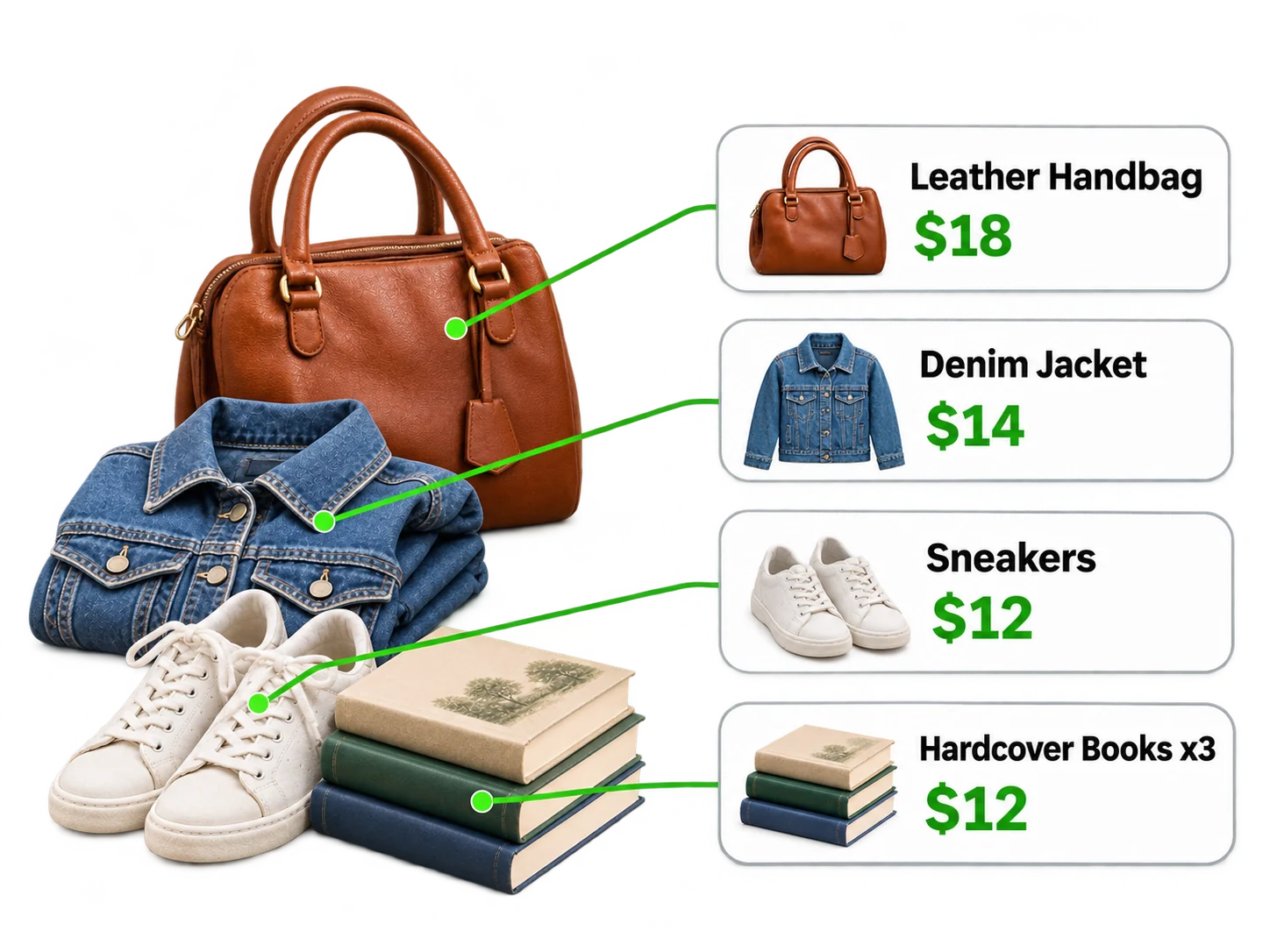
02 Items identified and valued
ItsDeducted recognizes items and suggests estimated values. Review or edit anything.
03 Ready for tax time
Save your record and export to Excel. Pro also adds polished PDF reports.
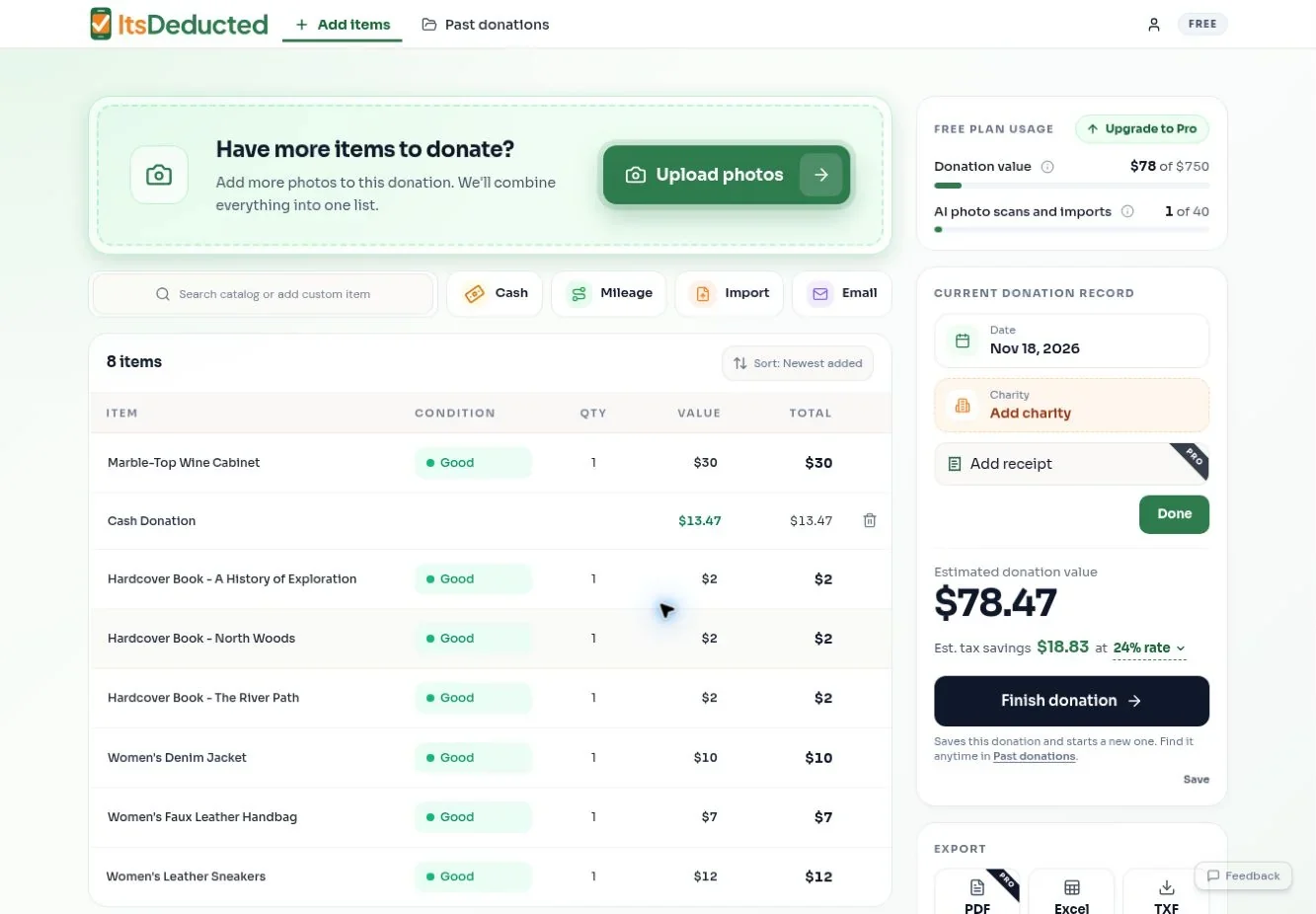
01 · Start easier
One donation. As many photos as it takes.
You don’t have to lay everything out perfectly or remember to enter items one by one. Start with a photo, add more photos to the same donation record, and review the items together.
- Try a photo before signing up.
- See clear progress while items are identified.
- Bring in an existing list instead of retyping it.
Whether it’s one bag or a full carload, the new flow makes it easier to keep going until you’re done.
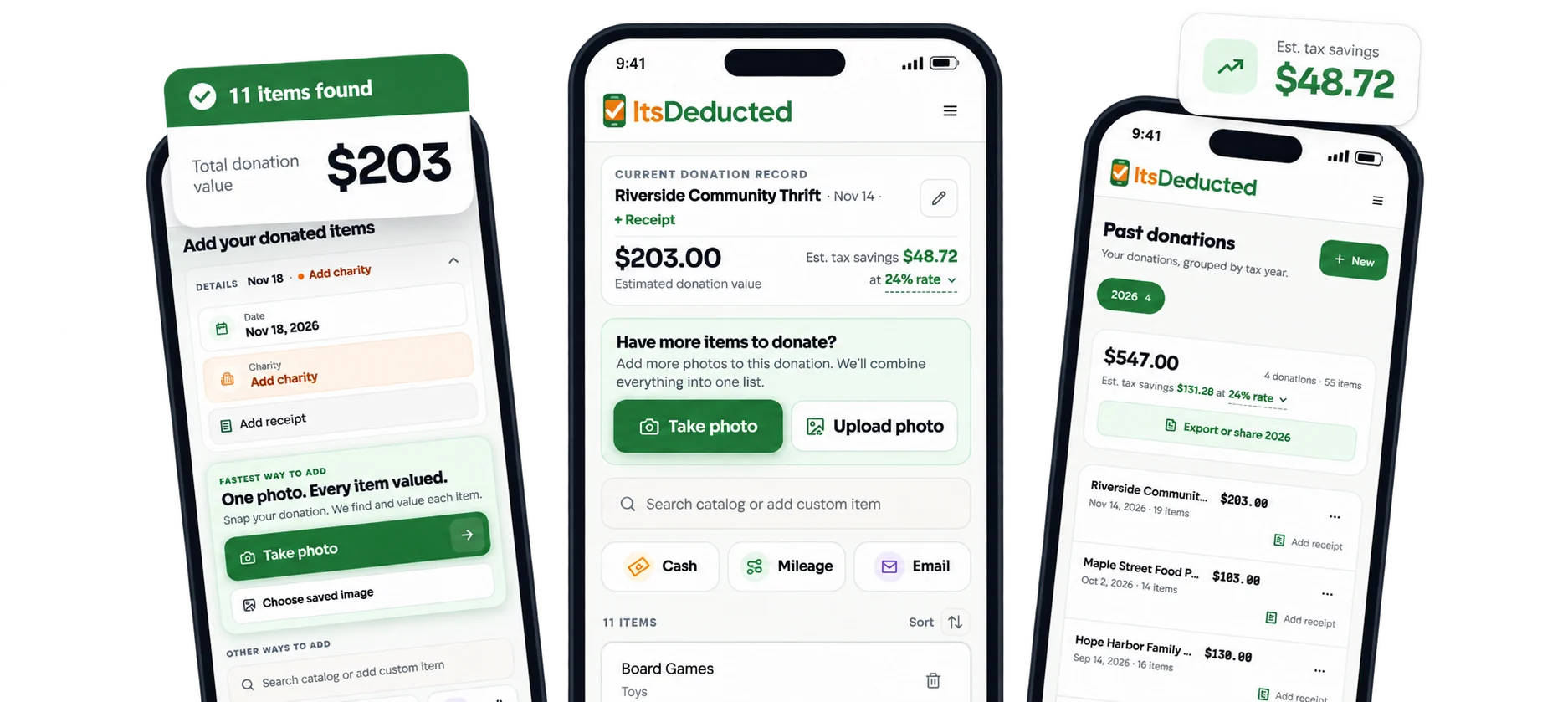
02 · Feel in control
A clearer record. Your values, your call.
Seeing an estimated value is helpful. Knowing you can review it is even better. The new item editor makes it easier to change an estimate, see what you adjusted, and restore the original suggestion.
As you work, totals update and your estimated tax savings reflect the tax rate you choose. A refreshed home screen shows a summary for your most recent tax year. Past Donations are organized by tax year, so you can find what you saved without digging.
And when you finish, there’s a clear Donation saved confirmation. No wondering whether your work made it into the record.
A better feeling when you finish
Know what you donated.
Know where to find it.
Know what it’s worth.
03 · Keep the receipts
The receipt no longer has to be another thing to remember.
That email receipt buried in your inbox? Forward it from the email address linked to your active ItsDeducted account, using the forwarding instructions inside the app. ItsDeducted checks the sender and processes available charity, date, and amount details. See how email receipt forwarding works.
Got a paper receipt at a charity drop-off? With Pro, photograph or upload it. ItsDeducted can read the receipt and fill in the charity name and donation date if you haven’t added them yet. The receipt stays with the donation, and supporting images can appear in the PDF report.
You’re building the record as you go, instead of reconstructing it at tax time.
Forward the email.
Forward from your registered email account using the instructions in the app. ItsDeducted processes available charity, date, and amount details.
Less copying and pastingUpload the receipt.
With Pro, ItsDeducted fills in missing charity and date details and keeps the image with your record.
One organized place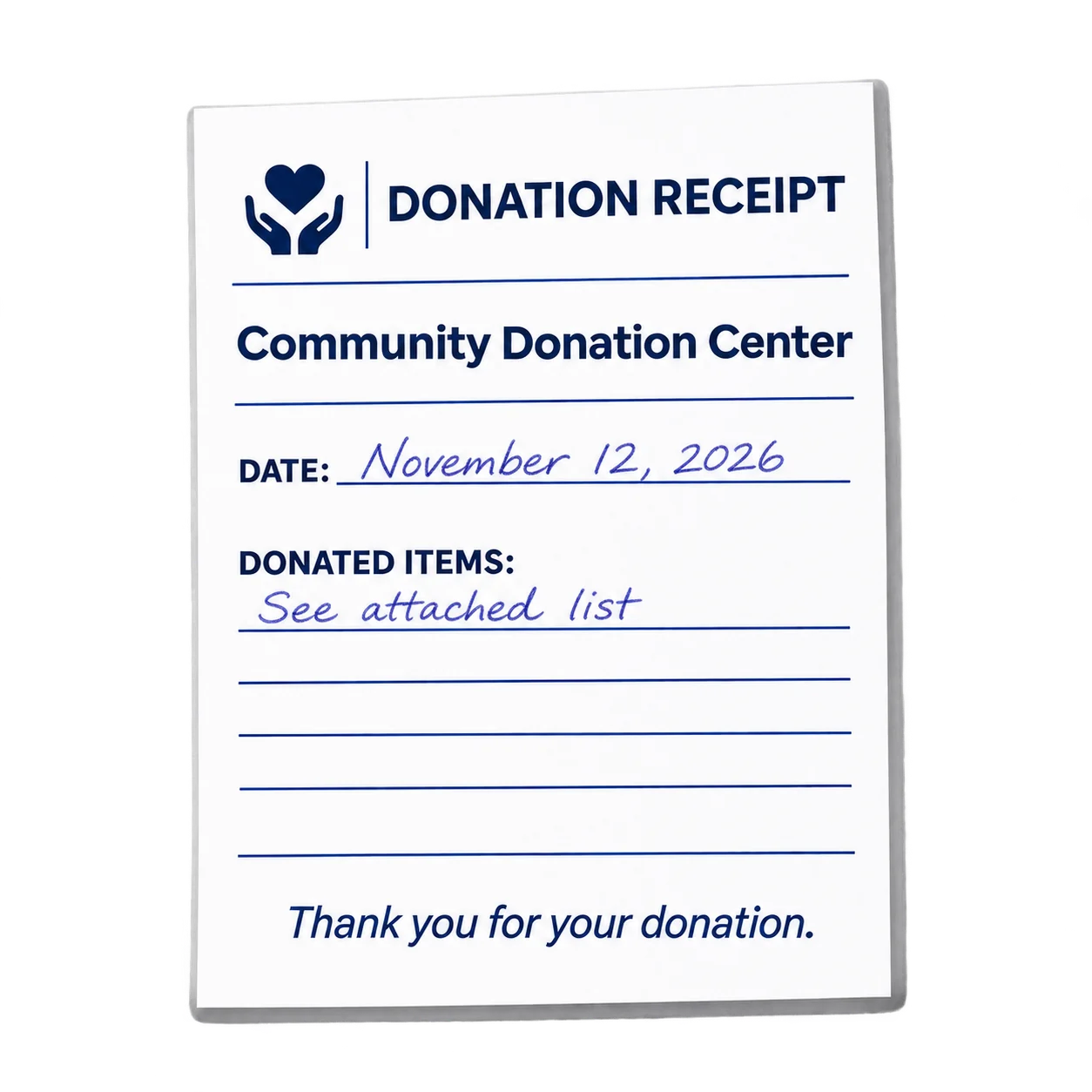
04 · Arrive at tax time prepared
A report worth keeping. Not another pile of paperwork.
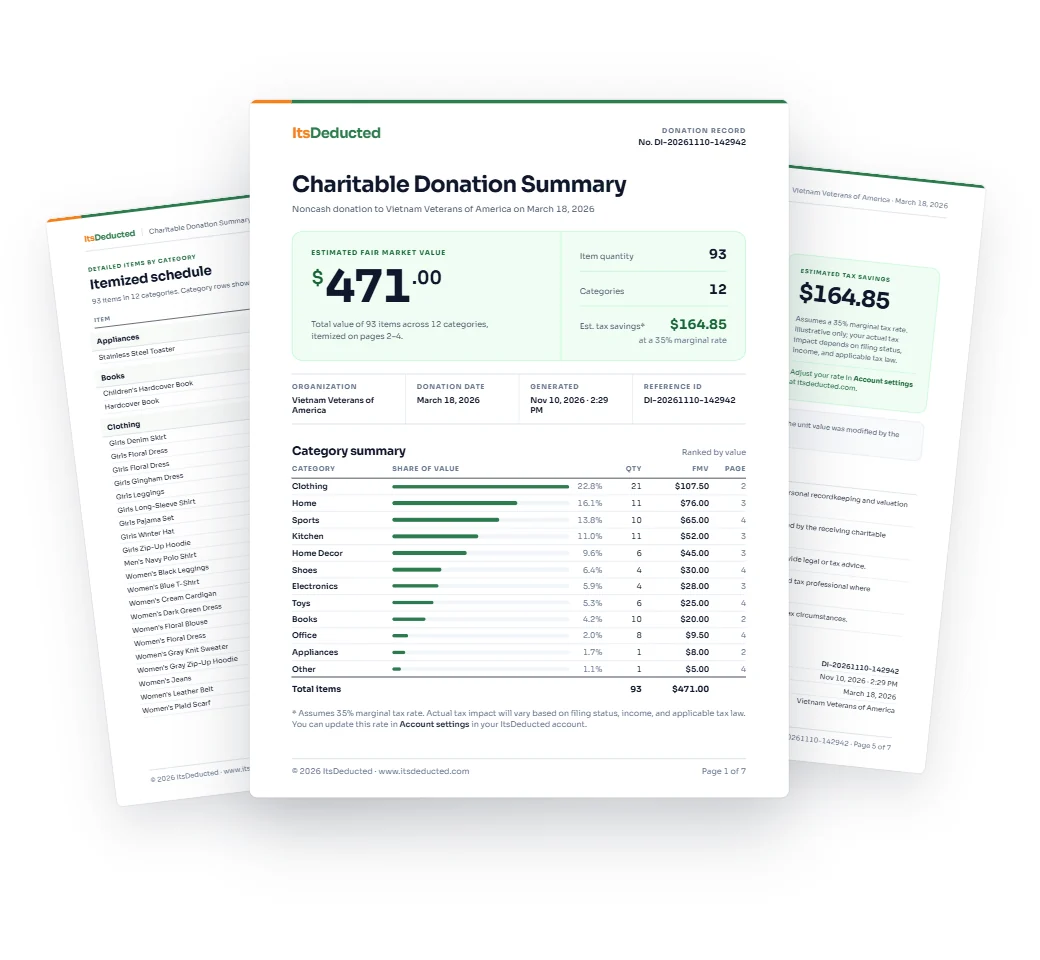
Donation tracking should lead somewhere useful. The redesigned Pro Donation Summary PDF has a clean cover, items grouped by category, and room for supporting photos and receipts.
Create a report for one drop-off or your full donation year. Smaller PDF files make those records easier to store and share.
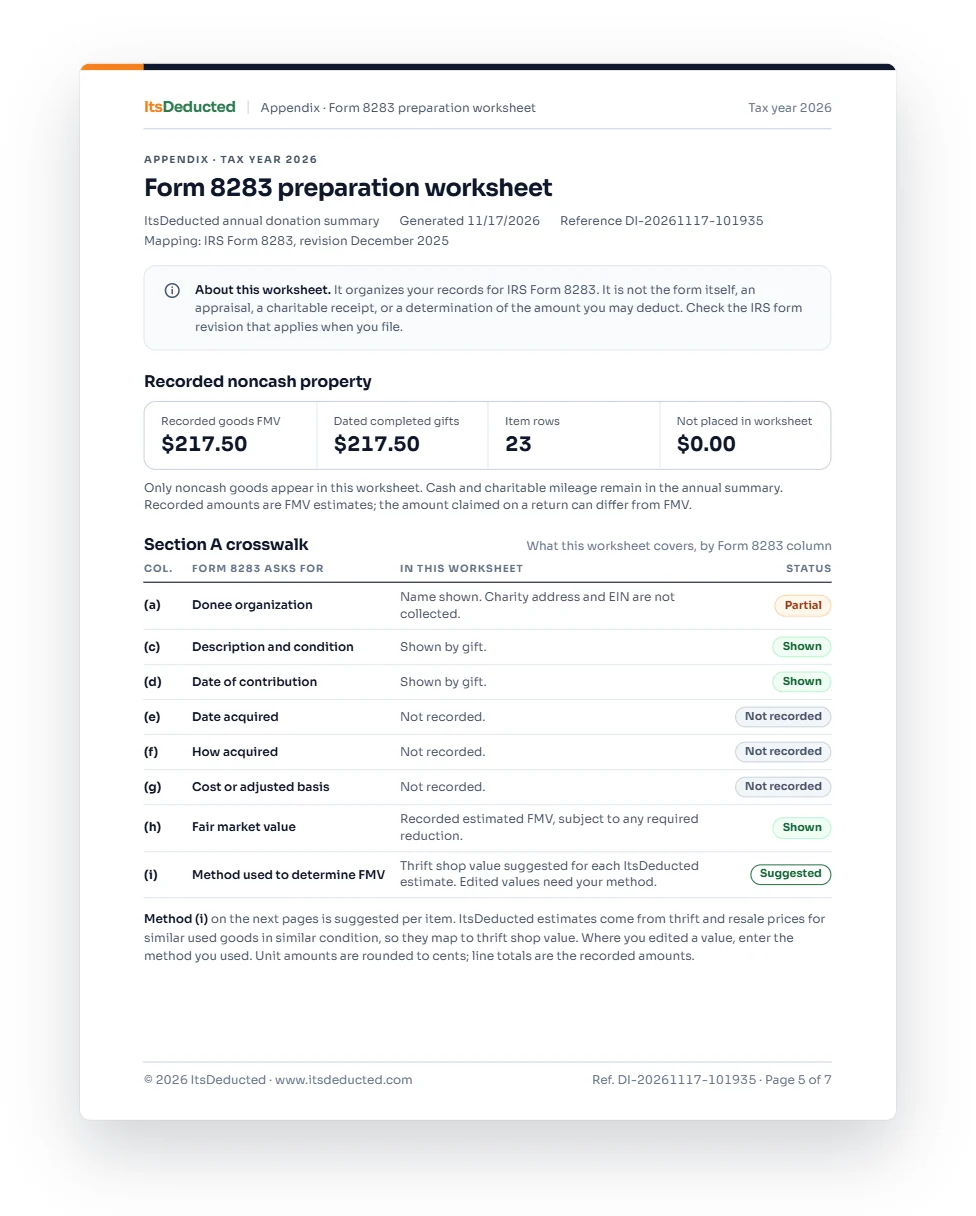
Form 8283 worksheet included
Annual Pro reports now include a preparation worksheet to help organize information for applicable noncash donation reporting. It is not a completed IRS form.
05 · Streamlined collaboration
A simpler way to share your donation records
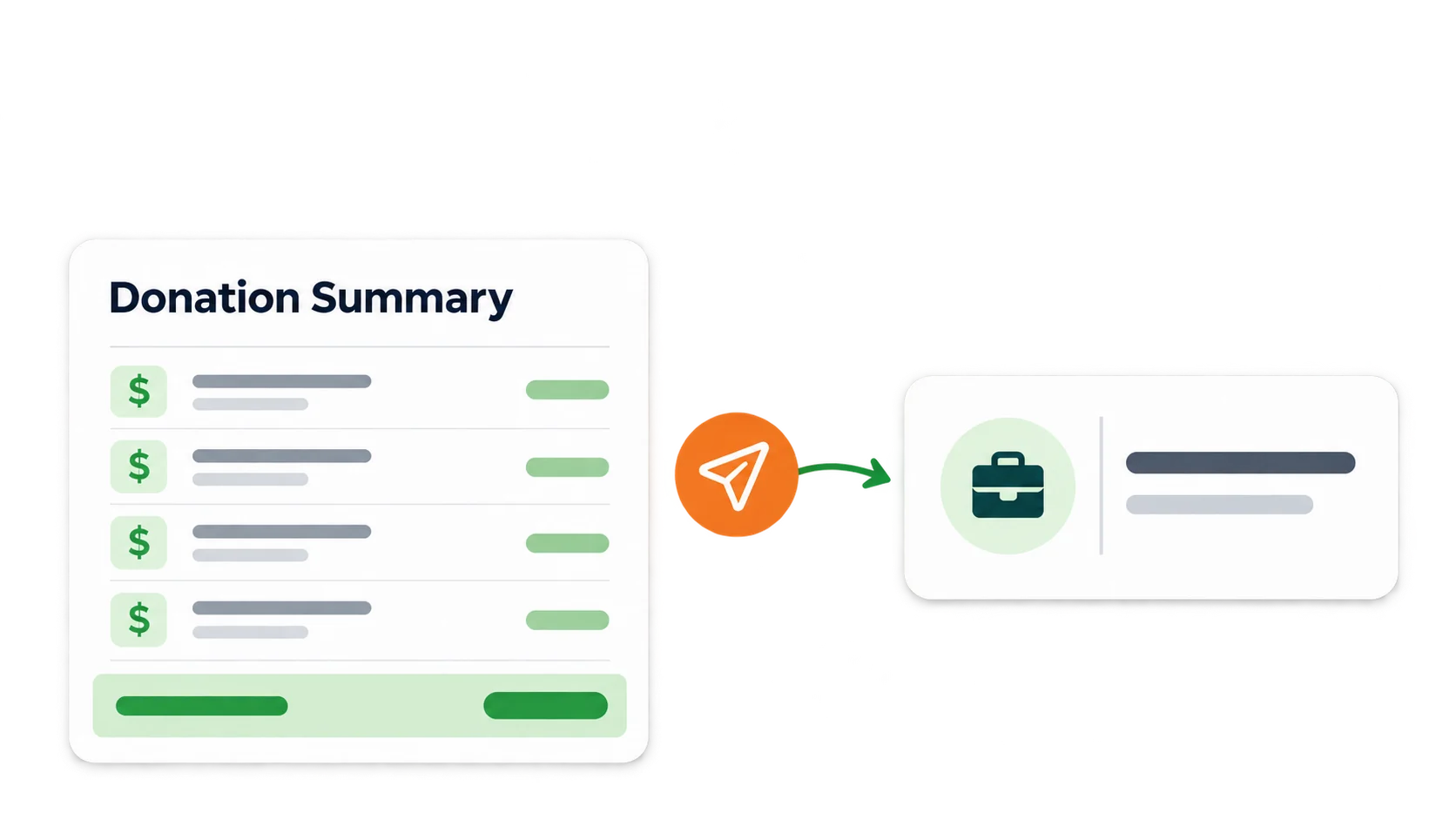
When it’s time to work with your tax professional, you shouldn’t have to piece together donation details from separate files. Share with Tax Pro lets you designate the tax professional you trust, then share a clear summary in just a few clicks.
Designed to keep getting smarter
New AI models make room for better donation tracking.
AI doesn’t stand still, and neither do we. As newer AI models become available, we upgrade the technology behind ItsDeducted to take advantage of stronger item identification and matching capabilities.
The goal stays the same: spend less time searching for exact catalog matches and more time reviewing a useful, organized record. Suggested fair market values remain estimates you can review and change.
How our item matching and valuation workBetter tools behind the scenes. An easier experience in front of you.
Easier to get started
Less commitment up front. More room to keep going.
Not ready to create an account? Start with a photo. Want to look up an item first? Use our free Donation Value Calculator. Already have a list? Bring it with you.
See it work first
Try photo identification or search the public calculator before creating an account.
Bring the whole list
Free users can import as often as needed, in batches of up to 50 items. Compare Free and Pro plans.
Keep your progress
If you go past the Free plan’s $750 donation-value limit, additional items are held and saved if you upgrade.
We also made sign-in clearer, improved account and plan management, and polished the experience across desktop and phone. The small improvements matter—but the real change is how the entire experience now fits together.
ItsDeducted 2.0 questions, answered
What’s different in 2.0?
What changed in ItsDeducted 2.0?
We redesigned the donation tracking experience from start to finish. It’s easier to add photos, review and adjust suggested values, find records by tax year, manage receipts and produce organized reports. The new version also includes improvements to the Free plan and to the AI models behind identification.
Can I add more photos to the same donation?
Yes. In the redesigned Add Items experience, you can upload additional photos to your current donation record. ItsDeducted combines the identified items into one list for you to review rather than making you start a separate donation each time.
Can a drop-off receipt fill in the charity and date for me?
Yes. With Pro, you can upload or photograph a donation drop-off receipt. ItsDeducted can use it to populate the charity name and date when those fields haven’t already been entered. The receipt is kept with your donation record.
What’s new in the Donation Summary PDF?
Pro reports now offer a redesigned cover, item summaries grouped by category, and supporting photo and receipt appendices. Annual Pro reports also include a Form 8283 preparation worksheet. That worksheet is not a completed IRS form.
How does ItsDeducted improve as AI models get better?
We continue upgrading the AI models that support item identification and matching as newer capabilities become available. That can help ItsDeducted handle more kinds of donated items with less manual searching. You still review the suggested estimated fair market values.
What improved on the Free plan in 2.0?
You can run list imports as often as you like, in batches of up to 50 items, and forward more emailed receipts. Free still tracks up to $750 in donation value. If you pass that limit, additional items are held so you can continue after upgrading.
Ready to try it?
Use one real donation
to see the difference.
The redesigned ItsDeducted makes it easier to turn a photo into a donation record you can review, save and find when tax time comes.
Free to start No credit card required
See the photo upload workflow